
How to Get Unlimited Chess.com Game Reviews for Free
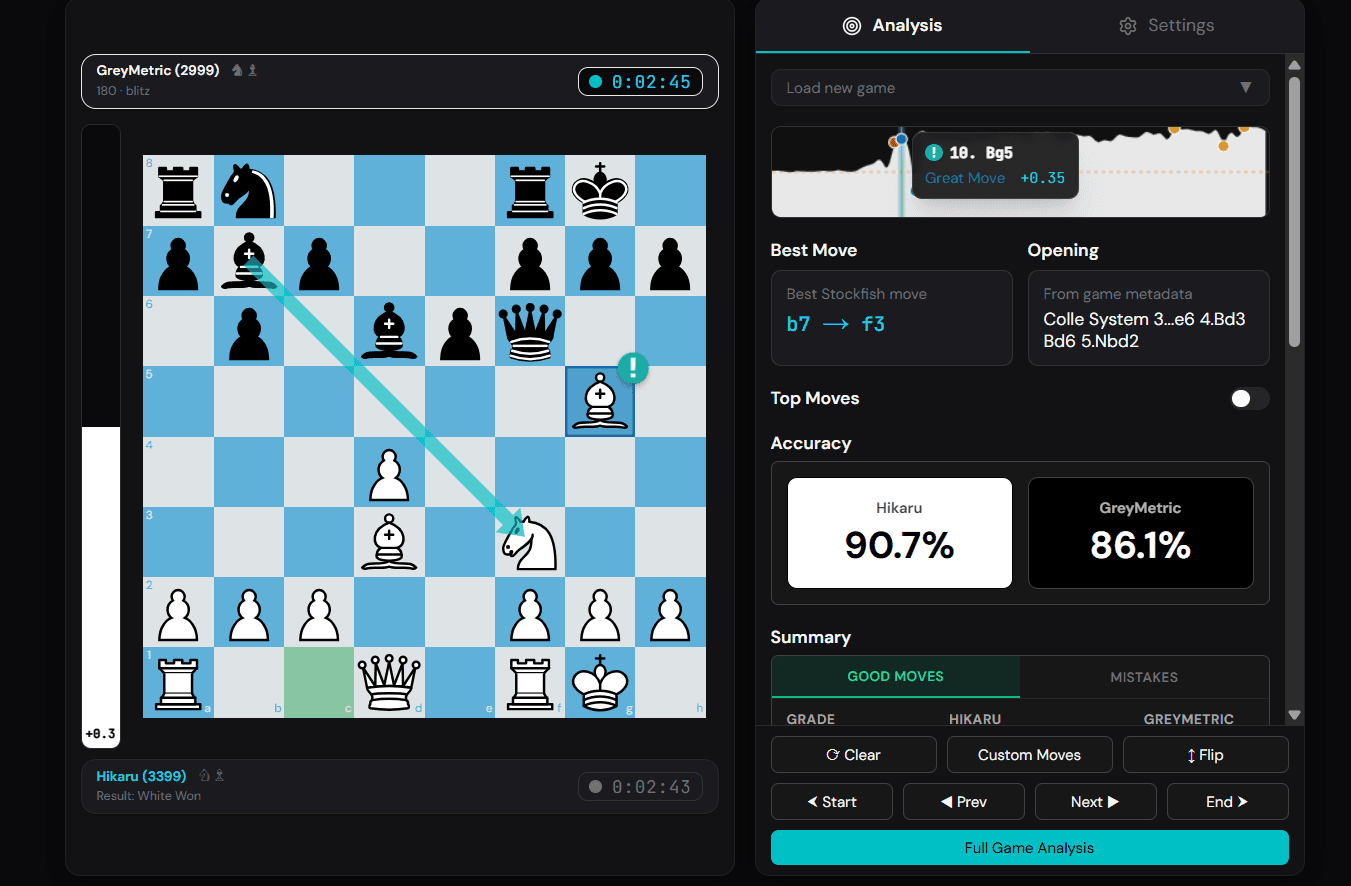
You finish a game on Chess.com, tap Game Review, and the paywall appears: you've used your free review for the day. Come back tomorrow, or upgrade to Diamond.
You don't have to do either. You can run an unlimited number of game reviews, with the same move grades, accuracy scores, and engine lines, using a free chess analyzer that imports your Chess.com games by username. This guide walks through the whole process in about two minutes, then covers what the free report includes and how it compares to the paid version.
The Free Review Limit, Explained
Chess.com gives free members one Game Review per day. The review you get is the full experience once per day: coach commentary, move classifications, accuracy scores. Reviews beyond that first one require a Diamond membership, which costs around $100 per year.
One review per day sounds workable until you play the way most people play. A typical online session is three to ten blitz or rapid games. If you lost four games tonight, you get to learn from one of them. The other three losses, including whichever one tilted you, go unexamined.
The limit exists because engine analysis costs Chess.com server money. Chess It Up sidesteps that cost in a way that benefits you: Stockfish runs inside your own browser, so there's no server bill to pass on and no reason to cap your reviews.
How to Review Unlimited Games, Step by Step
You need your Chess.com username and nothing else. No PGN files, no account creation, no card details.
Step 1: Open the analyzer
Go to the Chess It Up analyzer and choose the option to import from Chess.com.
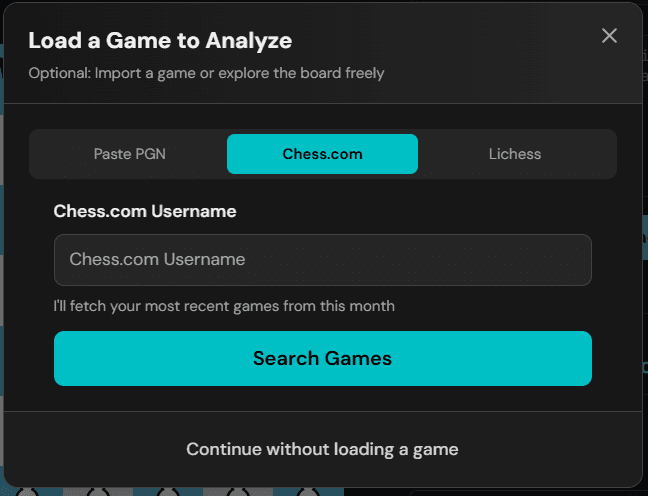
Step 2: Enter your Chess.com username
Type your username and the analyzer pulls your recent games through the public Chess.com API. You'll see a list of your latest games with the opponent, result, and time control for each one.
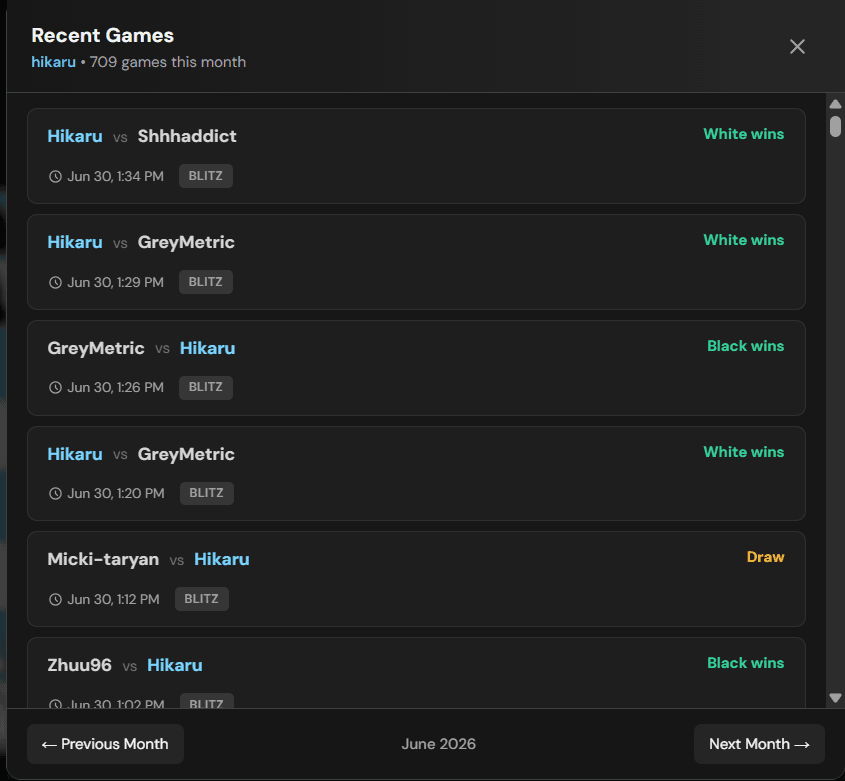
Step 3: Pick a game and analyze
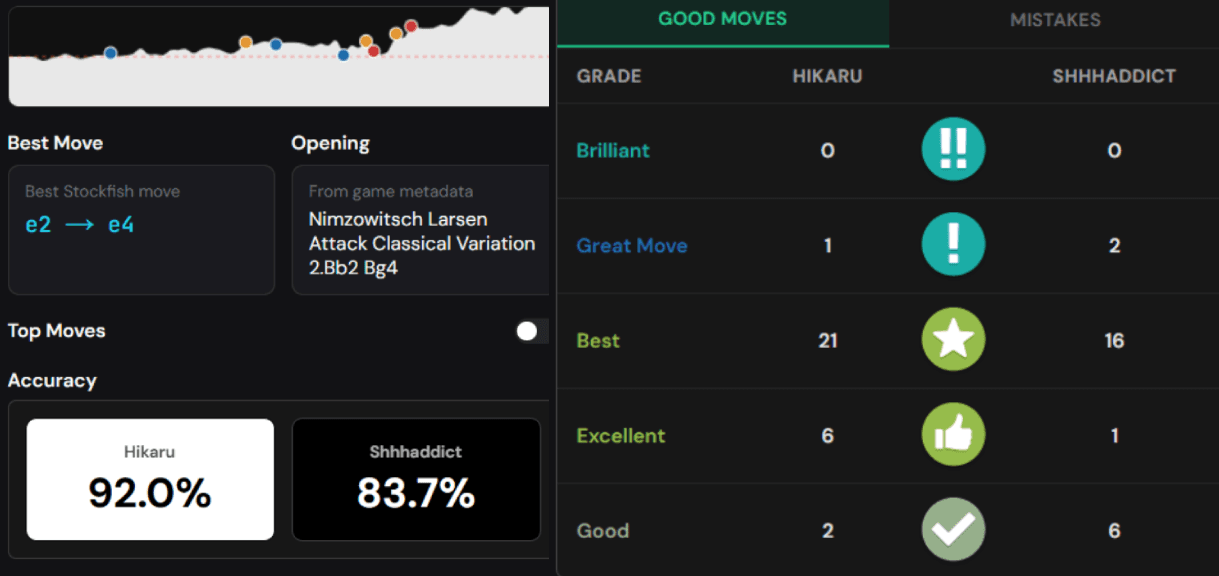
Click any game and Stockfish gets to work in your browser. Every move receives a grade, from Brilliant down to Blunder, and the report builds out an evaluation graph, accuracy scores for both players, and the engine's preferred line wherever you went wrong.
Step 4: Repeat for every game you played
Finished reviewing one loss? Go back to the game list and open the next one. There is no daily counter. Reviewing ten games costs the same as reviewing one: nothing.
What the Free Report Includes
The report covers the same ground a paid Game Review does:
- Move classifications. Each move is graded: Brilliant, Great Move, Best, Excellent, Good, Inaccuracy, Mistake, or Blunder. Opening moves that follow known theory get marked Book, and the report flags Misses, the moves where you had a tactic and played something else.
- Accuracy scores. A percentage for you and your opponent, so you can track whether your play is improving across weeks.
- Evaluation graph. One glance shows you where the game swung. Sharp drops are the moments worth studying.
- Best-move lines. For every mistake, the report shows what you should have played and the follow-up line, powered by the same Stockfish engine that grades moves on every major chess site.
- Shareable reports. You can generate a report card for a game and send the link to a friend or coach.
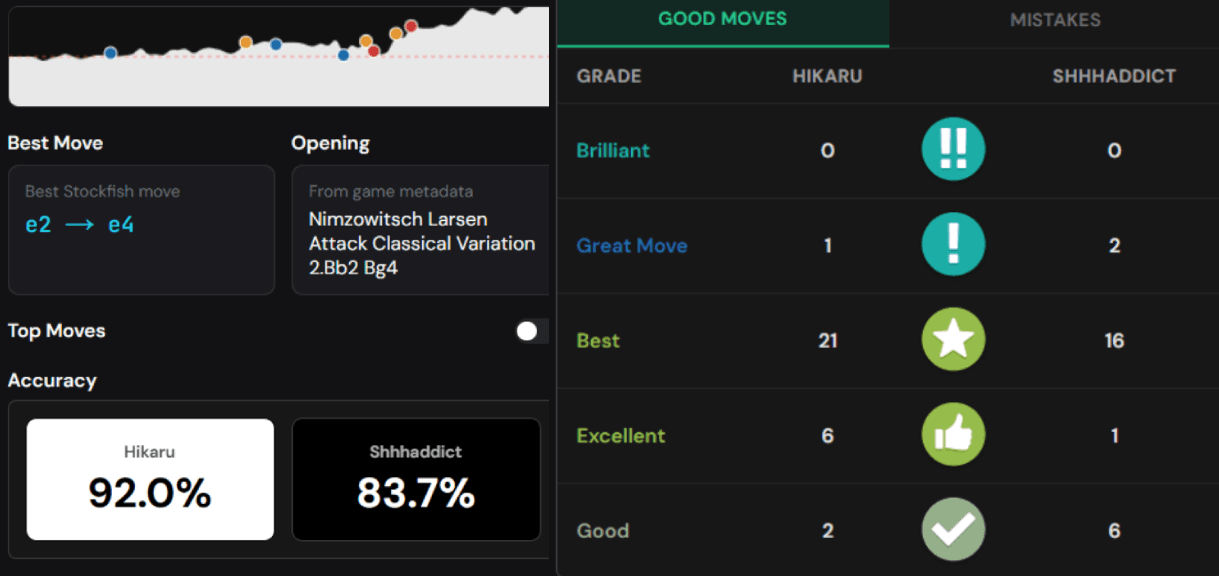
The analysis depth is adjustable. The default settings grade a full game in well under a minute on a phone, and you can raise the depth when you want a closer look at a critical position.
Chess It Up vs. Chess.com Game Review
| Chess.com (free) | Chess.com Diamond | Chess It Up | |
|---|---|---|---|
| Game reviews per day | 1 | Unlimited | Unlimited |
| Move grades (Brilliant to Blunder) | In your daily review | Yes | Yes |
| Accuracy scores | In your daily review | Yes | Yes |
| Best-move engine lines | Limited | Yes | Yes |
| Price | $0 | ~$100/year | $0 |
Diamond bundles other things, like lessons and unlimited puzzles, and if you use those daily the subscription can be worth it. If what you want is the game review itself, you can get that part free, every game, today.
Why Your Browser Does the Work
Most analysis sites send your game to a server, run the engine there, and send results back. Servers cost money, which is why those sites meter your usage. Chess It Up compiles Stockfish to WebAssembly and runs it inside your browser tab instead. Your device does the computation.
This design has three consequences you'll notice:
- No daily limit. Your hundredth review costs us the same as your first.
- No queue. Analysis starts the moment you pick a game. Nobody else's games are ahead of yours.
- Your games stay on your device. The engine evaluates positions in your browser, so unsaved analysis never has to leave your machine.
Modern phones handle this fine. A mid-range Android from the last few years grades a 40-move game in under a minute at the default depth.
Prefer to Paste a PGN?
Username import covers most situations, but sometimes you want to analyze a single specific game: one from a friend's account, an over-the-board game you transcribed, or a daily game still in your archive.
Chess.com lets you export any finished game as a PGN. Open the game, click the share icon, and choose the PGN tab in the dialog that appears. Copy the text, paste it into the analyzer, and the review runs the same way.
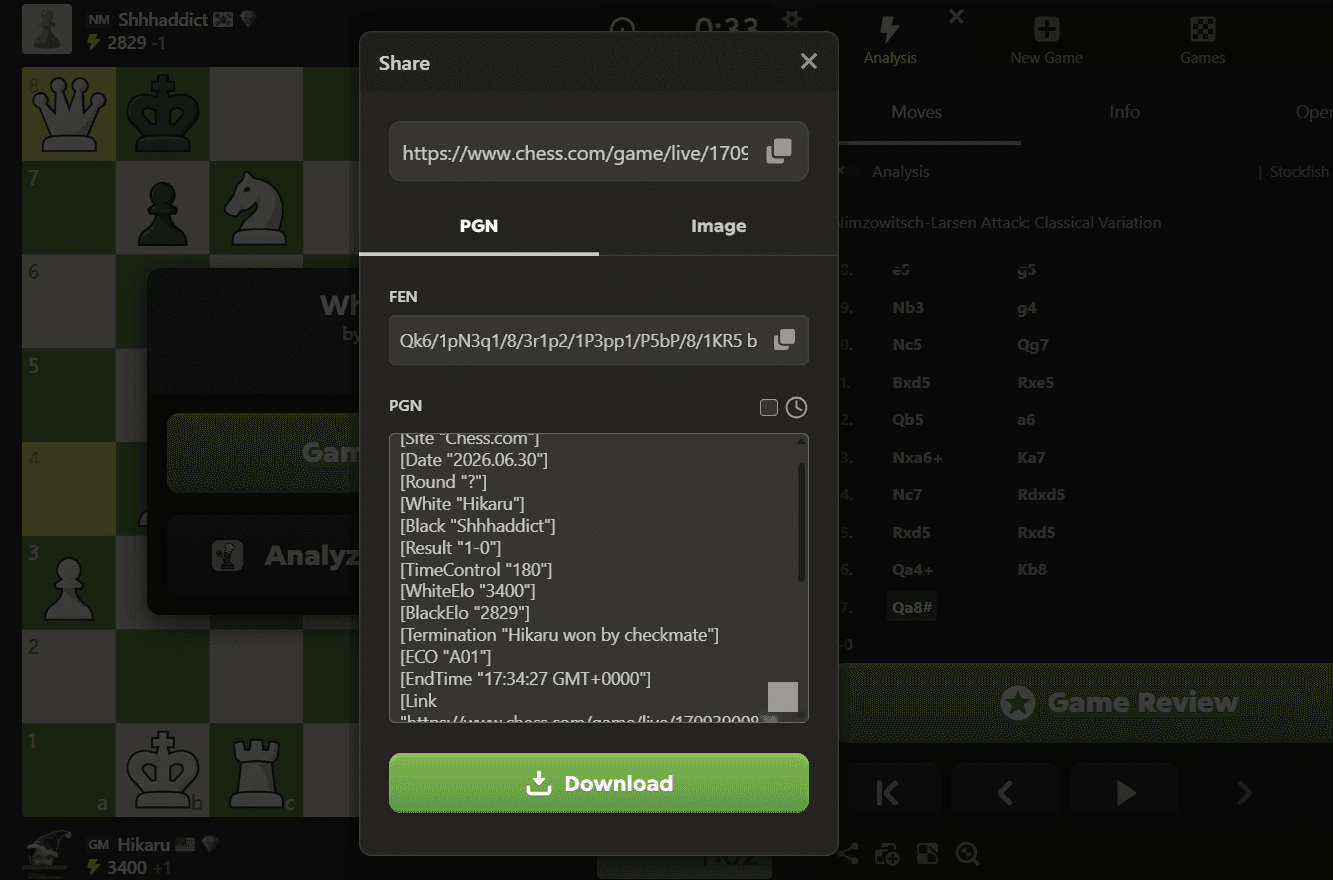
This also works for positions: the analyzer accepts a FEN string if you want to examine one critical moment rather than a whole game.
What About Lichess Games?
The same import flow works with a Lichess username. Lichess deserves credit here: it has offered free server analysis for years. The reason to run your Lichess games through Chess It Up is the report format, with Chess.com-style move grades and accuracy scores in one view, plus the ability to keep your Chess.com and Lichess games in a single analysis history.
Unlimited Reviews Are Only Useful if You Use Them Well
The point of removing the daily limit is volume: reviewing every game instead of one game compounds fast. But clicking through engine lines without engaging is a known trap. A few habits make each review count:
- Review losses the same day you play them. You still remember what you were thinking on the critical move, and that context is the most valuable part of the review.
- Find the two or three moves that decided the game. The evaluation graph hands these to you. Ask what you saw, what you missed, and why.
- Look for repeats. If the report flags a hanging piece in three games this week, you've found your training priority. Our guide to analyzing your games like a grandmaster turns this into a full weekly routine.
- Check the opening grades. If you're consistently worse by move 10, the fix lives in our opening principles guide, and it takes an evening to learn.
Frequently Asked Questions
Is it really free? What's the catch?
The analyzer is free and unlimited. The site shows ads, and an optional subscription removes them and adds premium features. The engine runs in your browser, which keeps our costs low enough that the core review never needs a paywall.
Do I need to create an account?
No. Enter a username or paste a PGN and analyze. An account adds extras like saved analysis history, but the review itself doesn't require one.
Which engine grades the moves?
Stockfish, the strongest chess engine in the world and the same engine behind the analysis on Chess.com and Lichess. It runs as WebAssembly inside your browser tab.
Does this work on a phone?
Yes. The analyzer runs in any modern mobile browser, and most Chess It Up users analyze on mobile. No app install needed.
Will Chess.com ban me for using an outside analyzer?
No. Reviewing your finished games with an engine is normal practice at every level of chess. The rules prohibit engine help during a game, which has nothing to do with post-game review.
Are the move grades the same as Chess.com's?
Close, with small differences in edge cases. Both systems grade moves by how much winning probability each move gave up according to Stockfish, so a Blunder on one site is almost always a Blunder on the other. The exact thresholds and the special categories, like Brilliant and Miss, use each site's own criteria, so a borderline move occasionally lands one grade apart.
Can I analyze blitz and bullet games, or only rapid?
Any time control works. The analyzer grades whatever PGN it receives, whether that's a 10-minute rapid game or a 1-minute bullet scramble. Bullet reviews are some of the most useful ones: the patterns you blunder under time pressure are the patterns you've not yet made automatic.
Review Your Last Game Right Now
The next time the daily-limit screen appears, you know the workaround: import your Chess.com games free, open tonight's worst loss, and find the move that cost you the game. Then open the next one. Nobody is counting.
Ready to Apply What You Learned?
Put these tips into practice by analyzing your next game with Chess It Up.
Analyze Your Games FreeRelated Articles
How to Analyze Your Chess Games Like a Grandmaster
A repeatable method for reviewing your own games: find the moves that decided them, spot your recurring mistakes, and turn losses into rating points.
Chess Opening Principles: The Complete Beginner's Guide to Starting Strong
Learn the essential chess opening principles that every beginner must know. Master piece development, center control, and king safety to win more games from move one.